Highlight it. Right-click. Fix what you were going to say.
Fixsay rewrites the text you select on any website — fix grammar, rephrase, or change the tone — then shows you each change. Use Chrome’s on-device model, or your own AI. No account, no subscription, no tracking.
In Google Chrome, the built-in model needs no key. Or start free with Gemini, Groq, Mistral, SambaNova, Hugging Face, or OpenRouter — or use your own OpenAI, Claude, or Grok key.
How it works
Three steps. No copy-pasting into a chatbot.
Highlight text
In Gmail, LinkedIn, X, Notion, a comment box — anywhere you write.
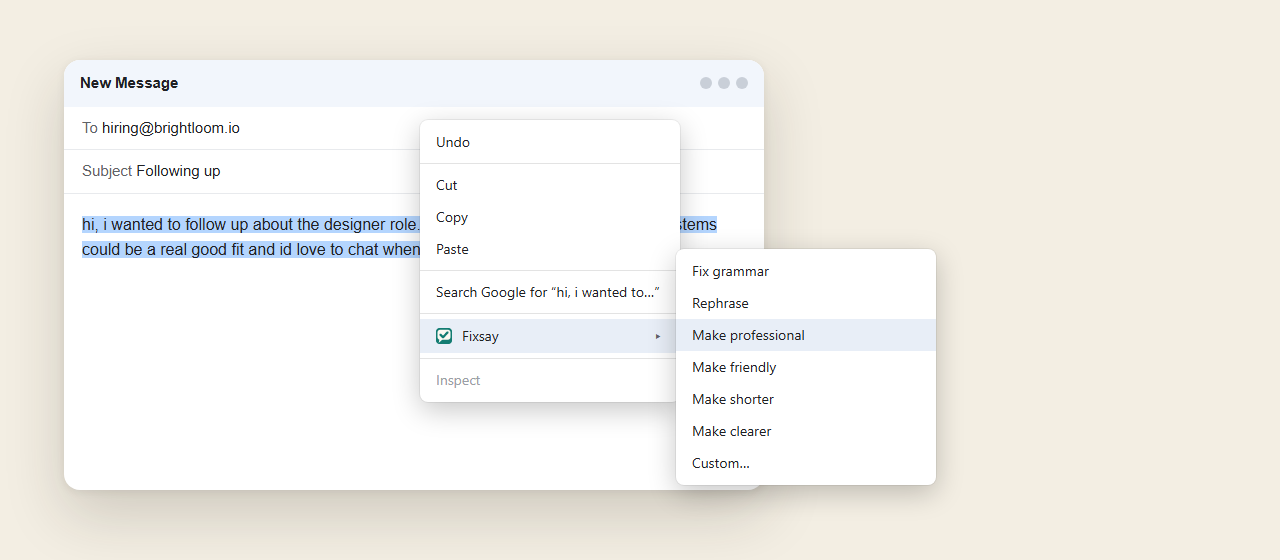
Right-click → Fixsay
Pick a rewrite, or Answer the message you highlighted. A menu in the panel switches to another action without selecting the text again. Alt+Shift+F repeats your last one.
See the fixes, then replace
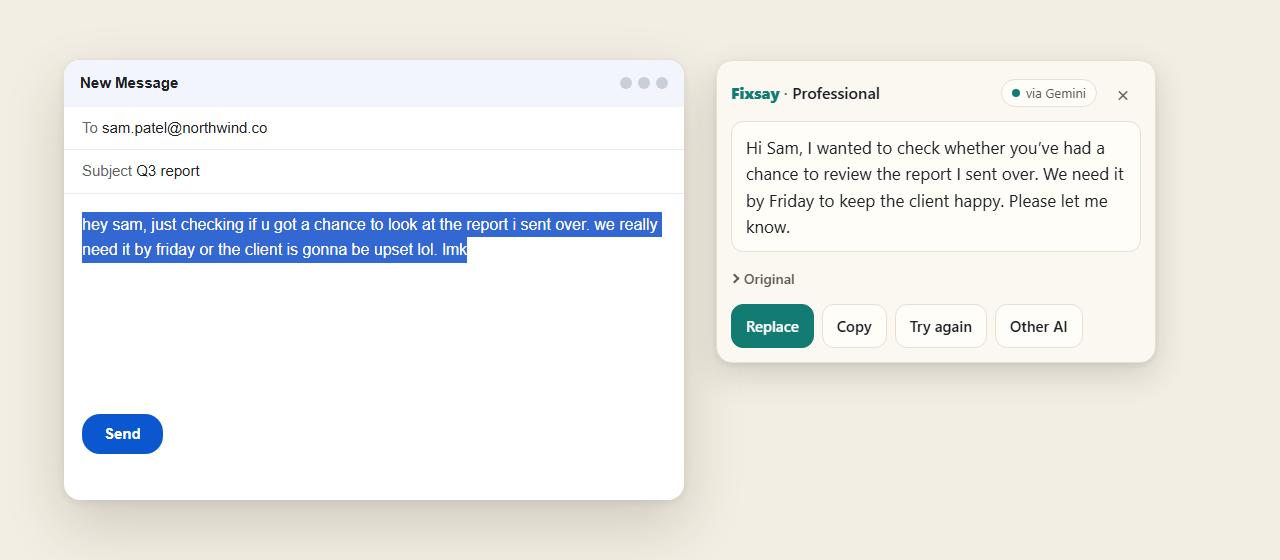
Changed words are highlighted, and each old phrase sits next to the new one. Replace puts the text back — with one-click Undo.
Rewrite or answer
Say it better, in one click.
Answer drafts the reply to a message you highlight. The other actions rewrite your own words and keep the meaning, names, numbers, links and @mentions. Fixsay returns just the text — no “Sure! Here’s…”. When a rewrite finishes, a count such as “4 fixes” appears, each change is listed, and the new words are marked in the sentence.
Your AI, your key
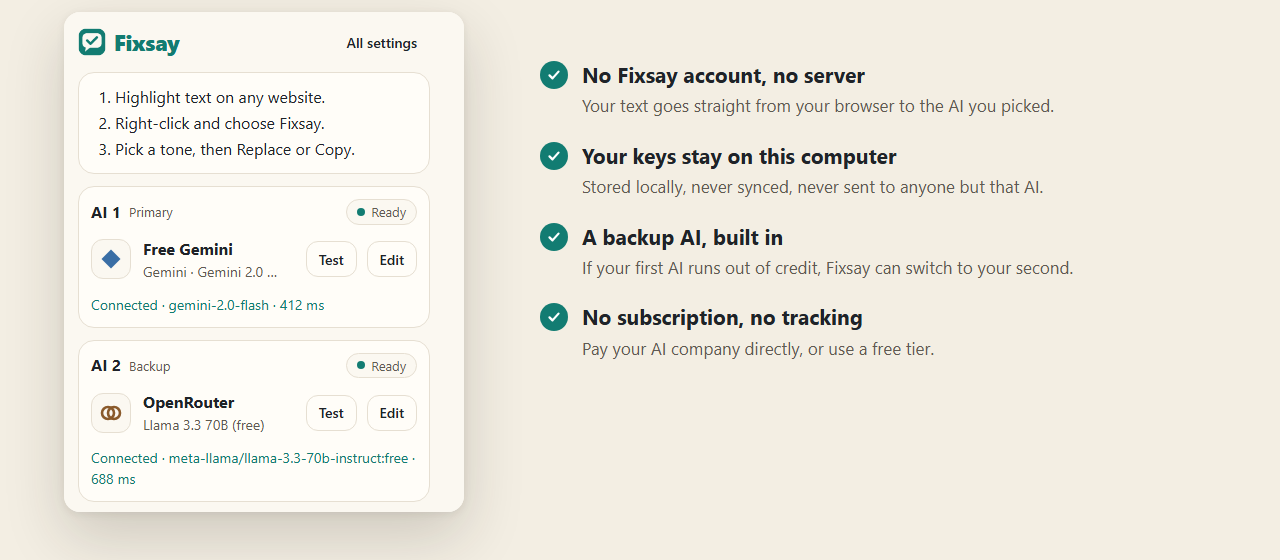
Connect one AI to start. Add a second as backup.
Fixsay uses a secret key from the AI company you pick (developers call it an API key). The setup shows you exactly where to get one. If your first AI runs out of credit, Fixsay can switch to your backup automatically.
Works where you write
Light, dark, and out of the way.
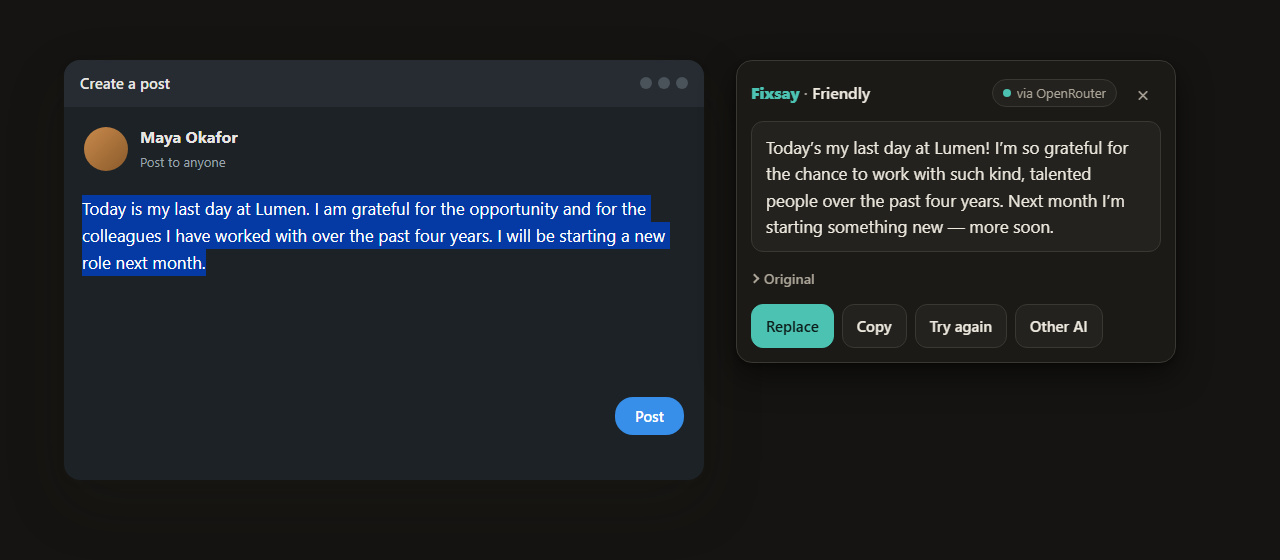
The Fixsay panel appears right next to your text and follows your system theme. Close it with Esc. On text you can’t edit, Copy becomes the main button.
Private by design
Your text goes to your AI. Nowhere else.
- No Fixsay account, no serverRequests go straight from your browser to the AI you picked.
- Your keys stay on your computerStored locally, never synced, never sent to anyone but that AI.
- No tracking, no adsNo analytics, no logging of your text, nothing sold.
- Honest usageA simple “about X requests this month” count — no made-up credit balances.
FAQ
Questions, answered plainly.
What’s an API key, and is it safe to paste?
It’s a secret key from the AI company that lets apps use your account. You create it on their website (Fixsay links you to the exact page) and paste it into Fixsay once. It stays on your computer and is only ever sent to that company. Don’t paste keys into chats or emails.
Is Fixsay free?
Yes. Fixsay itself costs nothing and has no subscription. In Google Chrome, the built-in model needs no key. Or use a free tier — Gemini, Groq, Mistral, SambaNova, Hugging Face, and OpenRouter all let you start without a card for light use. Some free plans use requests to improve their own models.
Does Fixsay see my text?
No. There is no Fixsay server. With an AI company’s key, your selected text goes directly from your browser to that company. With Chrome’s on-device model, the text stays on your computer. The highlights that show what changed are drawn on your computer from those two versions of the text. They are not sent anywhere.
What happens when my AI runs out of credit?
Fixsay tells you in plain words, links to that company’s billing page, and — if you added a second AI and left auto-switch on — answers with your backup instead.
Does the built-in model work in Edge, Brave, or Firefox?
No. That model is part of Google Chrome on a desktop computer. Fixsay hides the Chrome option in every other browser. Connect Gemini, OpenRouter, or another AI with a key instead. The extension itself is installed from the Chrome Web Store.
Which sites does it work on?
Most places you type: Gmail, LinkedIn, X, Notion, GitHub, comment boxes and regular text fields. On text you can’t edit, you can still copy the rewrite. Google Docs draws text in its own way, so Fixsay can’t edit inside a Doc.
Can I sign in with ChatGPT, Claude or Grok instead?
Not today. Those consumer logins aren’t available to third-party extensions in a reliable, terms-safe way, so Fixsay uses API keys with a step-by-step guide.
Fix what you were going to say.
Install Fixsay. In Google Chrome you can use the built-in model with no key, or connect a free Gemini key, and try it on your next email.
Already using Fixsay and finding it useful? Give us a review on the Chrome Web Store — it helps other people find it.